2

I can call myself as nerd but this time I'm stuck, I couldn't find any information about a filter or effect. All I know is; there is a Photoshop brush set.

How can people do that effect like one in this example? Is it automatic or you have to use specific brush or what?
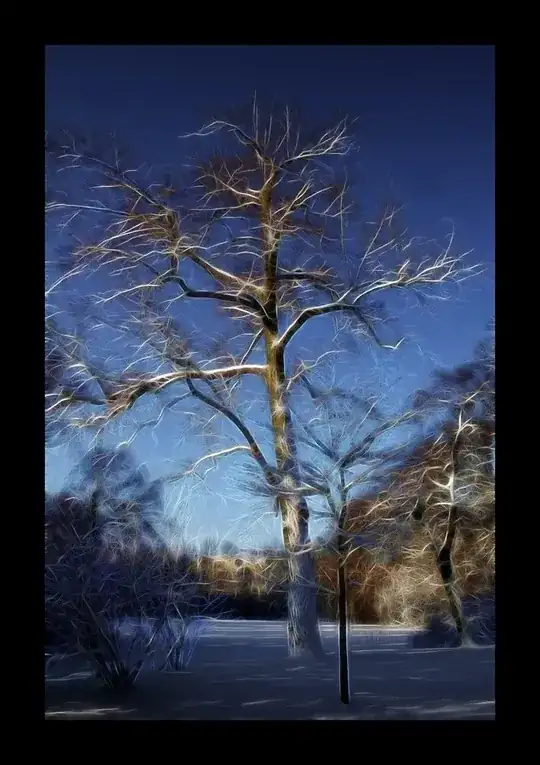
enter image description here

mattdm
  • 143,140
  • 52
  • 417
  • 741
Nime Cloud
  • 295
  • 1
  • 9

3 Answers3

5

Topaz Clean can achieve similar results: http://gallery.topazlabs.com/keyword/clean?forceView=1360425932182#!p=2&n=10

But plugin used for this photo is most likely Fractalius: http://www.redfieldplugins.com/filterFractalius.htm

MarcinWolny
  • 1,400
  • 1
  • 14
  • 35
1

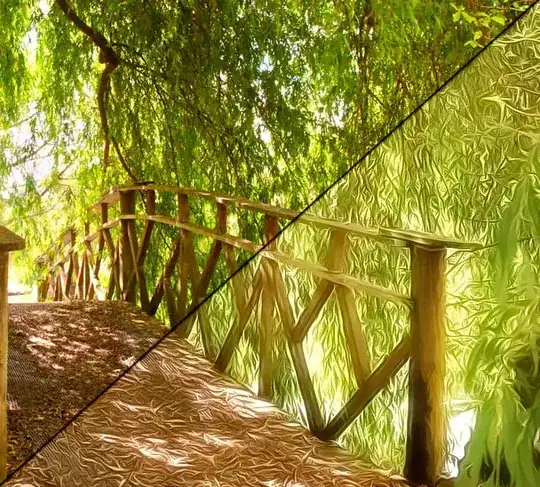
My first guess was Topaz Clean, as @marcinwolny suggested. It's a plugin that works globally, not a brush set, but I think it approximates the effect in that image. Here is a before and after I've done quickly to show what Topaz can do.

enter image description here

  • Applied Topaz Clean (Curly Smooth filter)
  • Duplicated the layer - guassian blur (15-20 pixels) - blend mode screen - to lighten and give it a glow
MikeW
  • 33,408
  • 10
  • 88
  • 123
0

Take a look at G'Mic's filters Here are some similar filters that they have - artistic -> Rodilius - artistic -> painting - artistic -> Whirl drawing