I am not very satisfied with the photo I have taken, although it took me around 20 mins arranging two 200W flashes around the room to light it up, taking several shots of each and every corner so I blend them using "flambient" technique.

I took another photo from the center of the room towards the windows, it looked much better including window pulls. However, I want to showcase the size of the room.

In such cases, what is the best practice when taking photos of large rooms?
My gear:
- Canon 6D mk2
- Sigma 12-24 f4 DG HSM Art
- Two 200W wireless flashes
Settings:
Aperture f8
ISO 100
Manual mode
Flashes also in manual mode
I shoot RAW and auto-WB
[Edit]
Workflow:
I first start with a single ambient exposure without flashes. I then drop my exposure two stops for flashes. I take several flash exposures from all around the room. For small rooms, I usually need three flash exposures not more. For this room, It was really difficult to properly position the flashes to light up dark areas. Next step, blending all photos in Photoshop. Ambient shot is applied as Luminosity layer.
[Edit] - @Rafael's answer
I. I take one ambient shot, keeping an eye on the Histogram and exposure in general. Next step, flash shots. I keep all settings untouched except for the shutter speed, I lower it by two stops as I learned from one video on YT.
II. Since I'm not experienced and totally new to all this, I do the following when using flash(es).
- I start with flash above the camera so I perfectly expose the foreground, taking advantage of the white ceiling to bounce off the light. This photo will be the base where I mask other exposures on top of it, finishing it off with a masked ambient shot.
- I fire flashes on either side of the room in order to expose the opposite side. I go back and forth to the camera to make sure I'm not over/under-exposing any part. I either handhold the flash or use a stand, depends on the situation.
- As you can see in the following photos where I have placed the flashes. The big issue here is to determine the flash power as well as its distance from the ceiling. Some videos recommended 2ft off the ceiling.
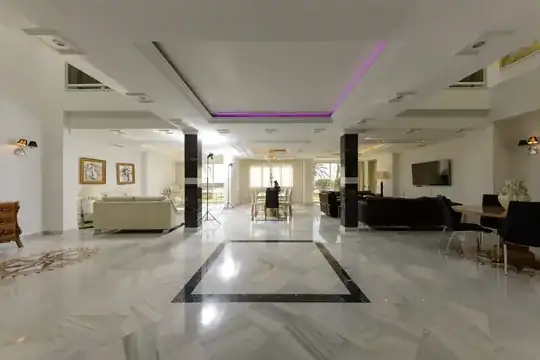
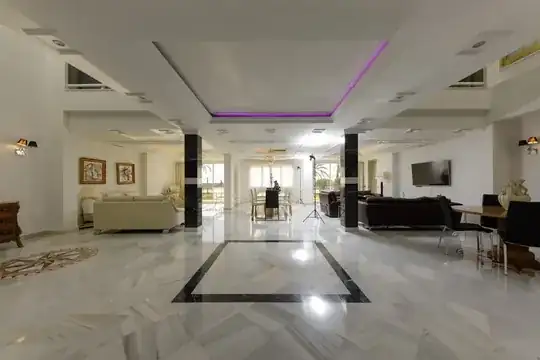
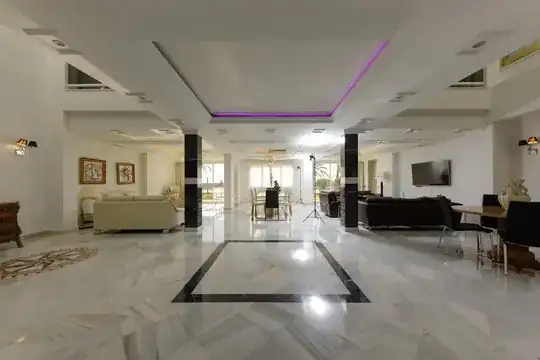
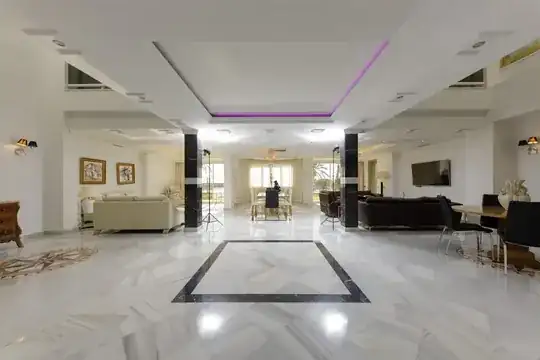
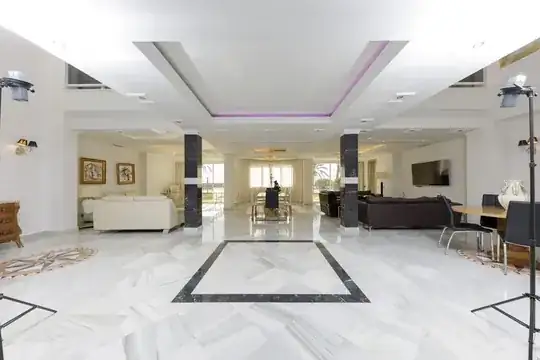 III. Regarding sunlight bouncing off the floor on the ceiling, I had to close the center curtain to eliminate the reflection that ruined the center of the photo. The ones on either side didn't bother me much, or maybe I just didn't care. I honestly never thought of flashing the floor to illuminate the ceiling. I will keep that in mind next time.


IV. Interesting. I will look it up.
V. All the photos I saw other realtors taking are the same. the windows look fake so they showcase the view, a marketing tool :) I load all photos into LrC, add lens correction, a bit of basic adjustments, e.g. highlights and shadows, then open them as layers in PS. I mask the layers, adjust curves (auto) in order to get rid of any color cast, add High pass filter and then back to LrC for final touches before exporting them.


